Frequently Asked Questions | General
Our current tools are approved for P1, P2, and P3 data. If you have a specific case that involves entering P4 (Restricted) data,, you must consult with the Office of Information Security first.
Users of approved AI tools are responsible for understanding their limitations and adhering to established research and scholarly practices in your discipline. You may upload de-identified and non-confidential (P1 or P2) research data, but you must never upload data that could be linked to individuals, is confidential, or proprietary. To meet potential publication requirements or other inquiries, keep records of your AI use, including prompts and outputs.
It's important to be cautious. While the university-licensed versions of AI tools protect your input data, the output it generates may contain copyrighted material from its training data. You are responsible for any content you publish or share. Always review the output to ensure you are not infringing on someone else's copyright.
The university encourages you to establish a clear policy on AI use in your syllabus. You should communicate your expectations to students, whether you permit, restrict, or prohibit AI tools for specific assignments. The Center for Innovative Teaching, Research & Learning is an excellent resource to help you navigate AI use in the classroom
No, never without explicit consent from the student. Student work is protected under FERPA. Uploading it to any AI tool, even a protected one, could be a violation of the student's privacy and intellectual property rights. It is also not an approved method for grading or assessing student work.
Frequently Asked Questions | Gemini
You should log in to Gemini using your university-provided Google account (e.g., netID@ucsb.edu). Using a personal Google account for university-related work is not recommended, as it lacks the institutional data protections and could expose sensitive information.
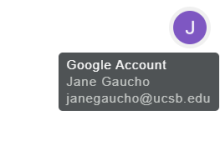
If you hover over the circular avatar in the upper right corner of your browser window, you can see which Google account you are logged into.
Access to the standard version of Gemini is included at no additional cost as part of the university's Google Workspace for Education license. There is a premium version (Google AI Pro for Education) with additional features and higher usage limits, which requires a license that your department could purchase.
No. For university-provided accounts under a Google Workspace for Education agreement, your interactions with Gemini are covered by enterprise-grade data protections. This means your data is not reviewed by humans or used to train Google's models. This is a key difference from the consumer version of the tool.
Frequently Asked Questions | UCSB AI Commons
See the AI Commons FAQ page